Getting started as an athlete
Use Cleanpull to follow your coach’s program, log workouts, and message the coaches in your workspace.
1. Accept your invitation
Section titled “1. Accept your invitation”Open the invitation link from your coach. Sign in with the invited email address, or create an account with that address if you are new to Cleanpull, then accept the invitation.
If the link opens the sign-in screen, finish signing in; Cleanpull returns you to the invitation. If you used a different email address, sign out and use the address that received the invite.
2. Open today’s workout
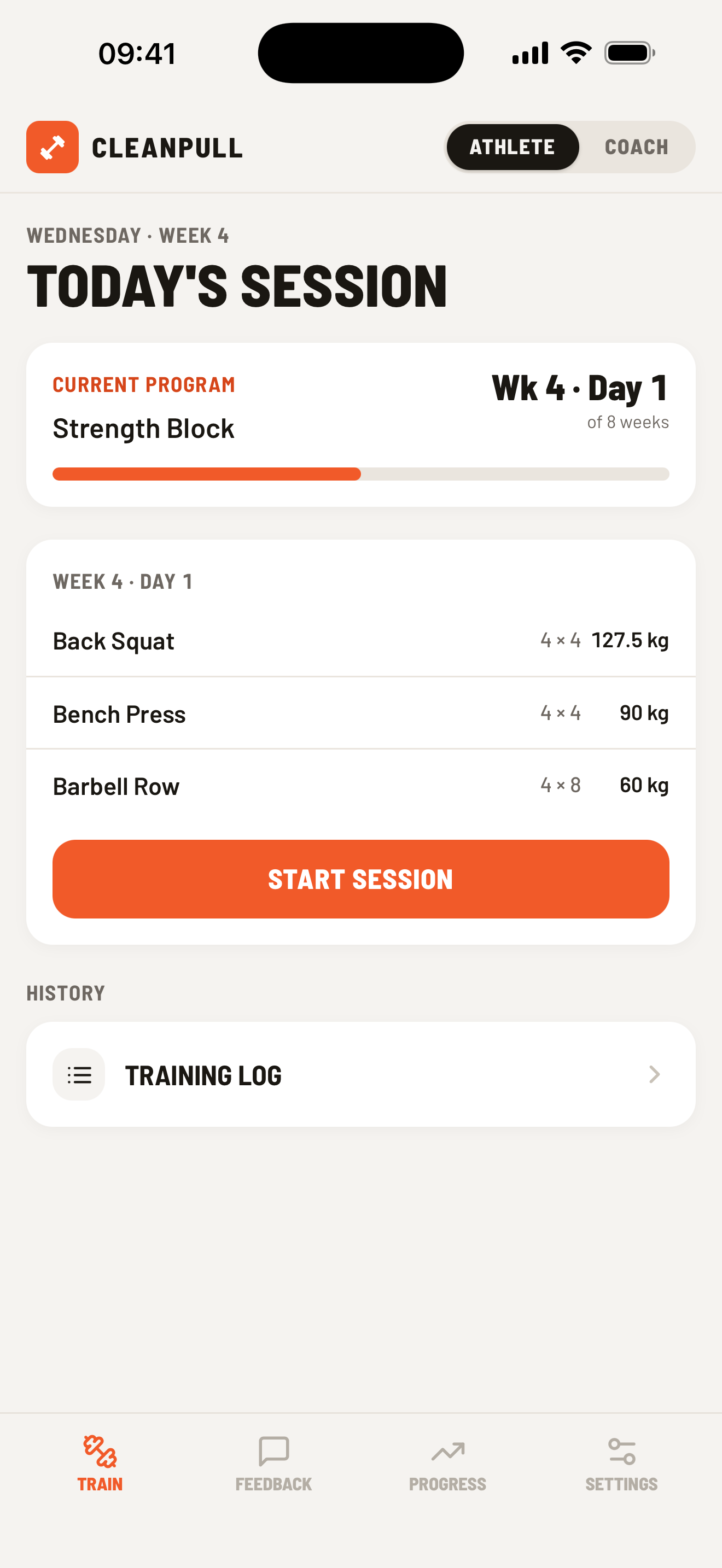
Section titled “2. Open today’s workout”Open Train. The top card shows your current program, week, day, exercises, prescribed sets and reps, and calculated working weights. Choose Start workout. If you already began the workout, the same button resumes it.
Tap Muscles on the workout card to see which muscles the workout trains. The front and back diagrams shade each muscle by how much work it gets, and the list below ranks the muscles with the exercises that train them. A set counts in full for the muscles that drive the lift and half for the ones that assist. Tap a muscle to find it on the body. Custom exercises are listed below the map and are not counted. During a workout, the same button sits beside the sets logged count, and Done so far fills in as you log sets. Switch to Whole session to see the plan.
3. Log your sets
Section titled “3. Log your sets”For each set, adjust the prescribed reps or weight if needed and choose Log set. Cleanpull advances to the next set and, if enabled, starts the rest timer. The arrow beside Log set logs a warm-up instead, which counts toward your volume but not your prescribed sets. You can edit or delete an incorrect set before finishing.
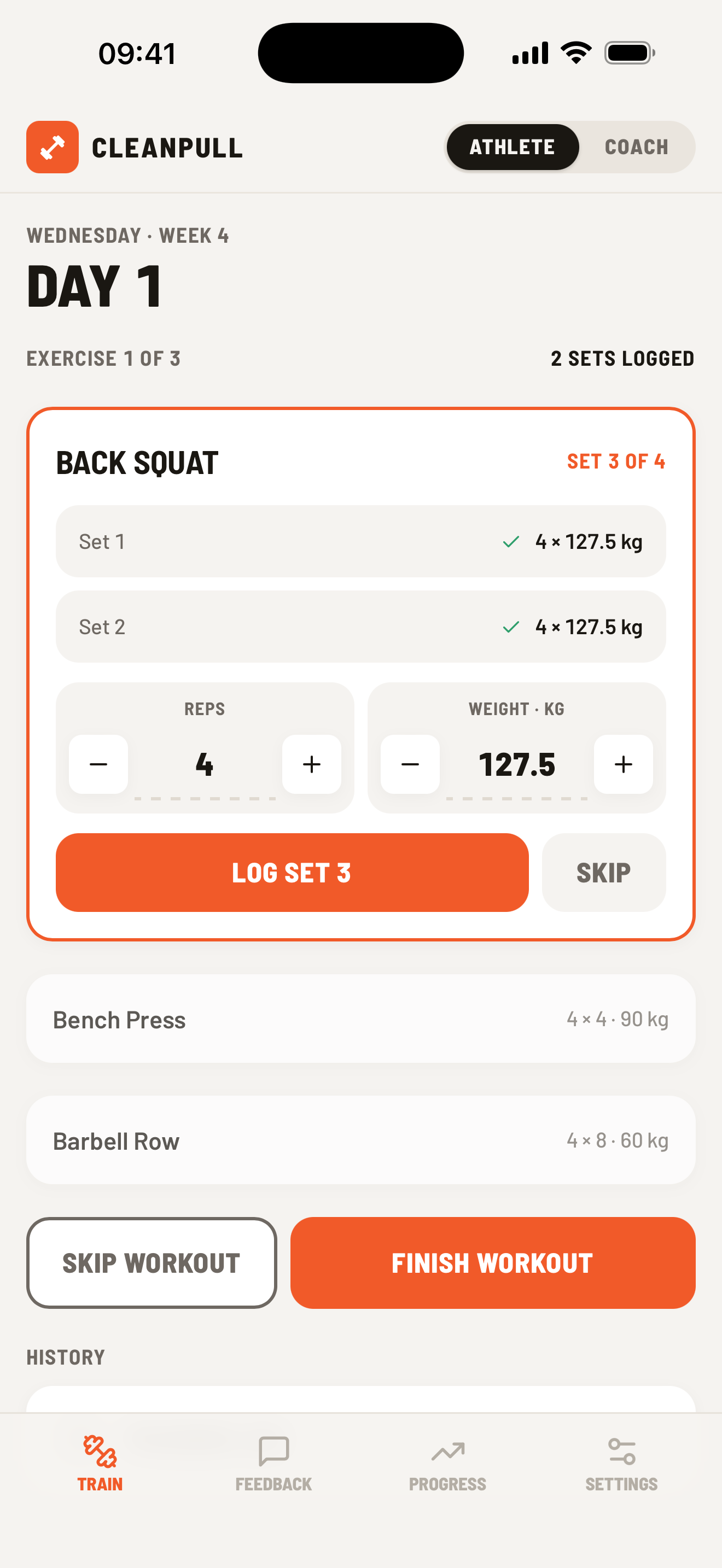
Choose Finish workout when you are done. Use Skip workout only when you want to skip the remaining exercises. If you forget to finish, do it whenever you next open the app: the workout’s duration ends at your last logged set.
4. Complete the check-in
Section titled “4. Complete the check-in”After the workout, rate overall effort, joint soreness, and enjoyment. Your coach can see these answers, and Cleanpull uses your effort rating to calculate training load. If something hurts, choose Hurt something? Track an injury so your coach can plan around it. See Track injuries. If you have pain or an injury, seek advice from a qualified healthcare professional.
If you skip the check-in, the workout summary on Train offers Add check-in for the rest of the day. After that, the training log shows the session without a check-in. The last workout of a program is the exception: Train moves on to the program summary, so its check-in can’t be added later.
5. Read feedback and follow progress
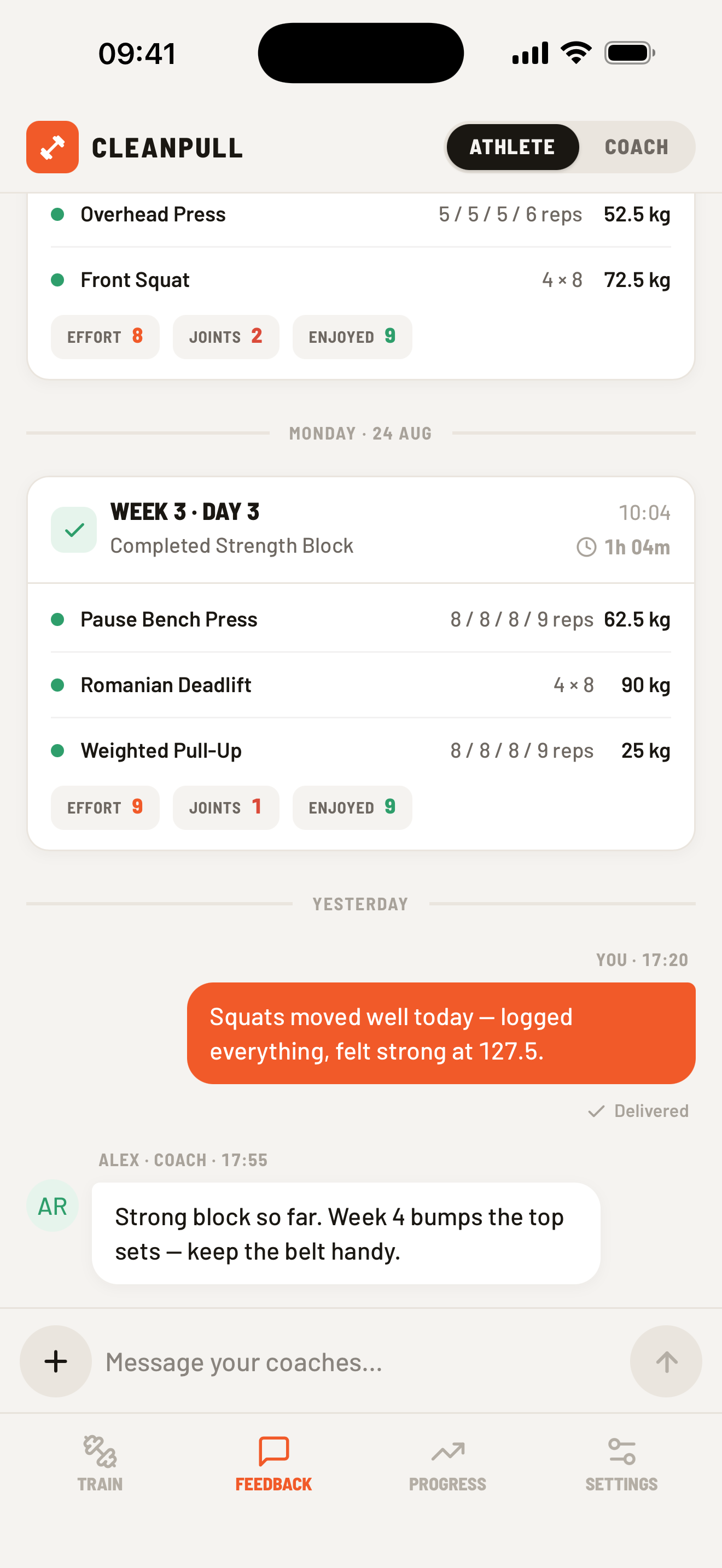
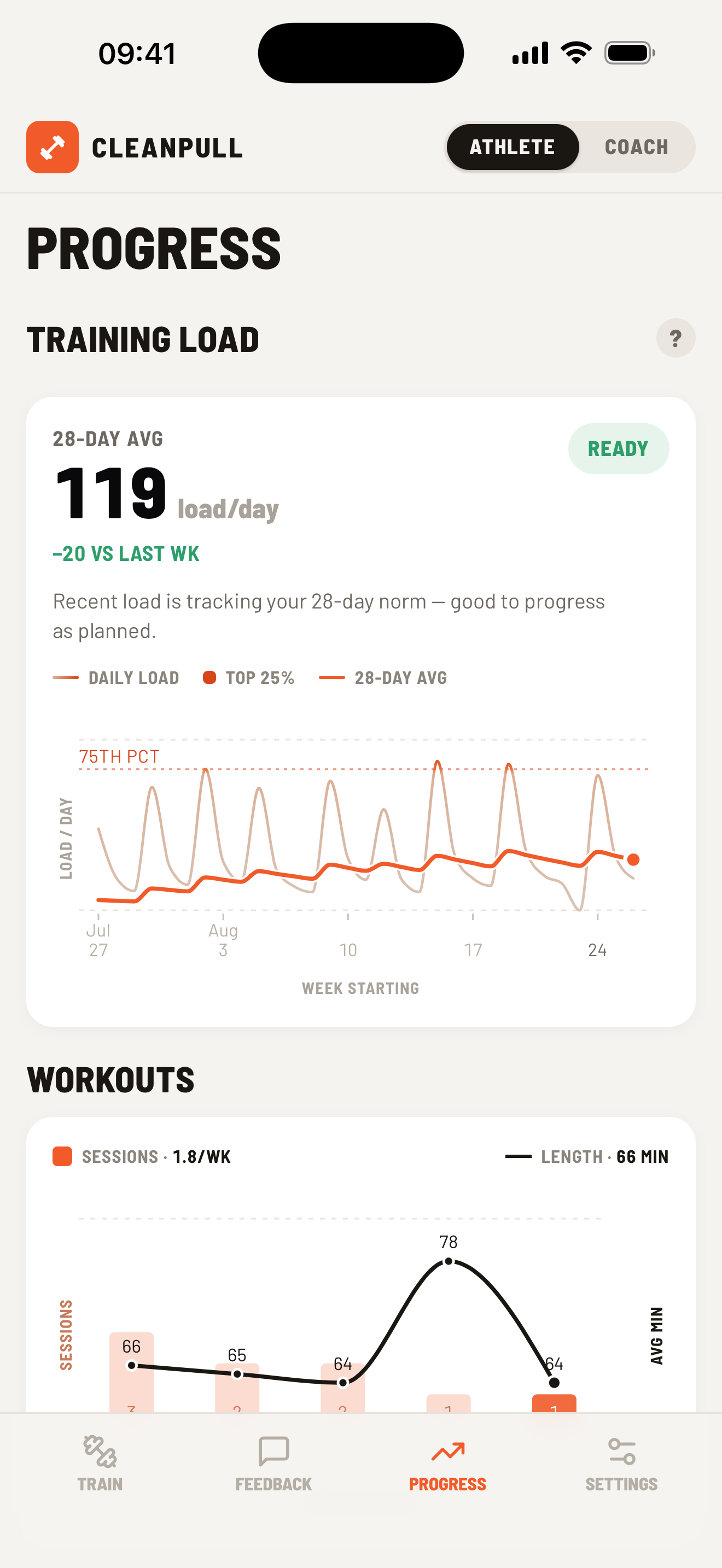
Section titled “5. Read feedback and follow progress”Open Feedback to message your coaches or attach a logged workout, lift, photo, or video. Open Progress to review training load, workout frequency and duration, maxes, and body-weight history.
For more on logging sets, using the rest timer, and viewing past workouts, see Training log.