Messages, attachments, and workout reviews
Each athlete has a private conversation shared with the coaches in their workspace. People outside the workspace cannot find or join it. Members lose access when they leave the workspace.
Find the conversation
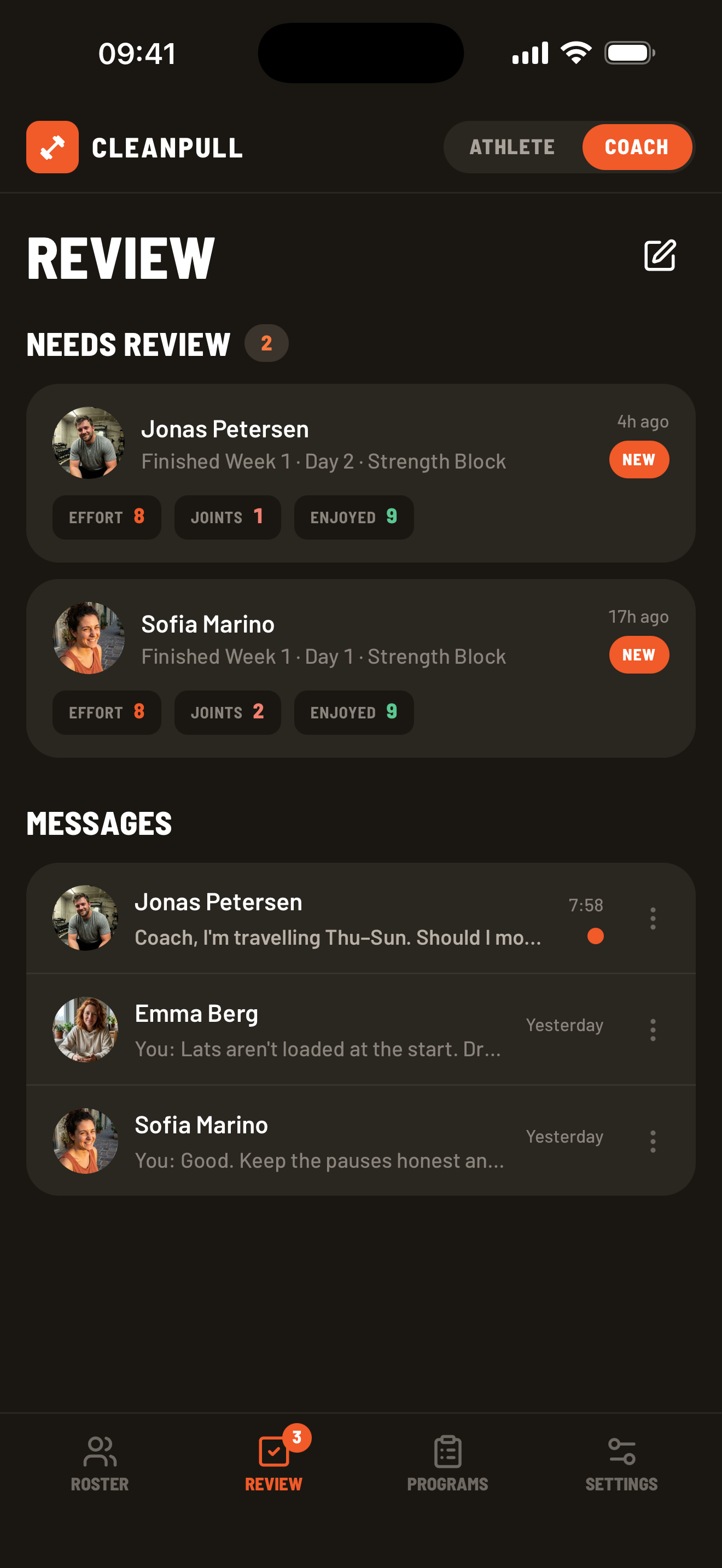
Section titled “Find the conversation”- Athletes open Feedback.
- Coaches open Review, then select an athlete under Messages.
- A coach can also choose the new-message button in Review and select an athlete.
Send and organize messages
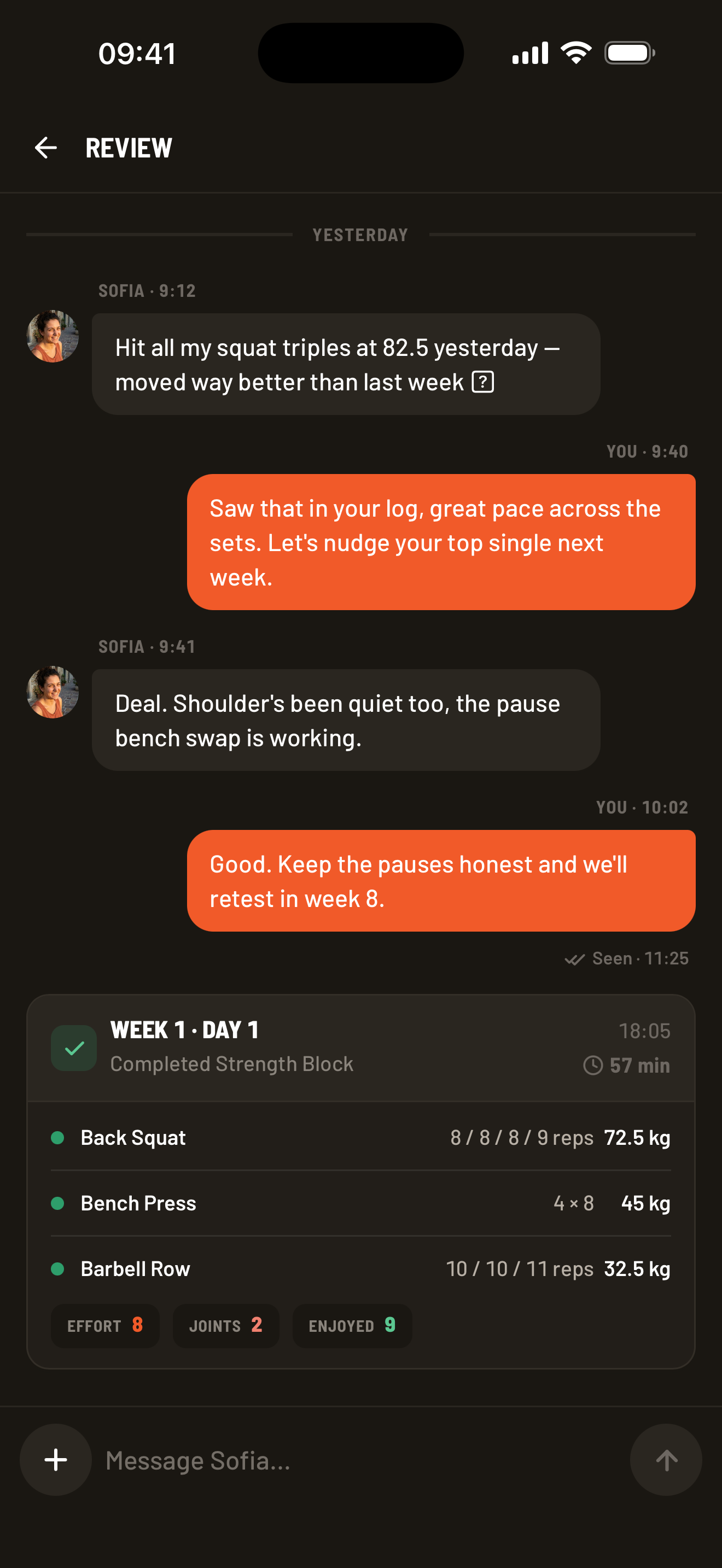
Section titled “Send and organize messages”Type your message in the message box and send it. Open a message’s menu to reply to it, add a reaction, or edit a message you sent. Replies quote the original message; choose the quote to jump back to it.
Completed workouts appear in the conversation. Open a workout card to see the exercises, logged sets, and post-workout check-in.
Share a workout, photo, or video
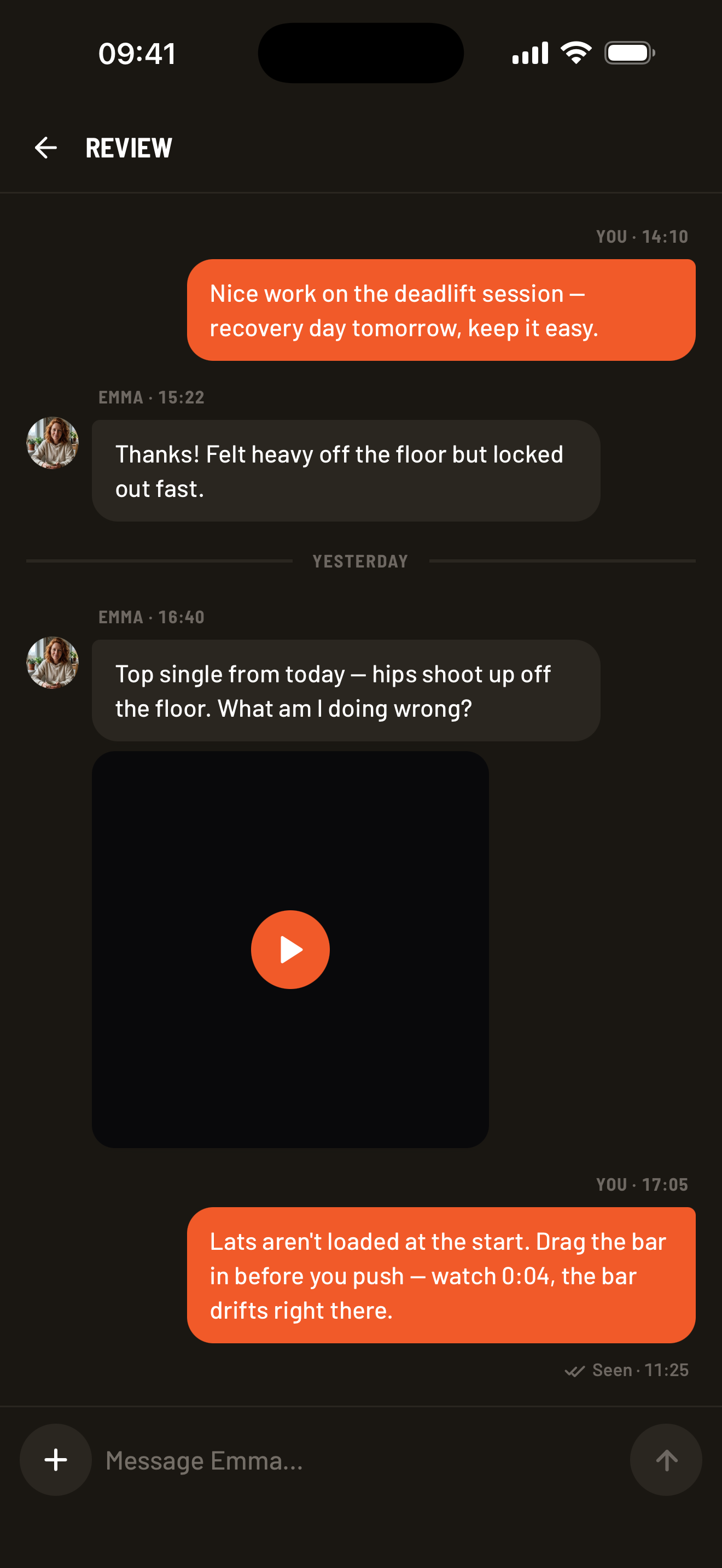
Section titled “Share a workout, photo, or video”Choose the + button beside the message box, then choose a completed workout, a specific lift from a logged workout, a photo, or a training video. Photo and video choices appear when upload is available on the device.
Wait for the photo or video to finish uploading before leaving the conversation. If an upload fails, keep the original photo or video, reconnect, and retry once.
Send a voice message
Section titled “Send a voice message”Voice messages can be up to three minutes long. The microphone appears beside an empty message box when recording is available; send or clear any text or attachment first. Allow microphone access when your phone or browser asks.
- On the phone: hold the microphone to record, then release to send. Slide left to cancel, or slide up to lock recording hands-free. When locked, choose Stop recording, listen back, and choose Send voice message.
- On desktop: choose Record a voice message, then Stop recording. Listen back before sending, or use the trash button to discard it.
At three minutes, recording stops for review; it is not sent automatically. Keep Cleanpull open while recording: switching to another app cancels an active recording, and leaving the conversation discards an unsent recording. Wait until the message appears in the conversation before leaving. If sending fails, retry using the recording still in the message box.
Choose Play on a received voice message to listen. The speed control cycles through 1×, 1.5×, and 2×. If recording is blocked, enable microphone access in the phone’s app settings or the browser’s site permissions, then try again.
Review a completed workout
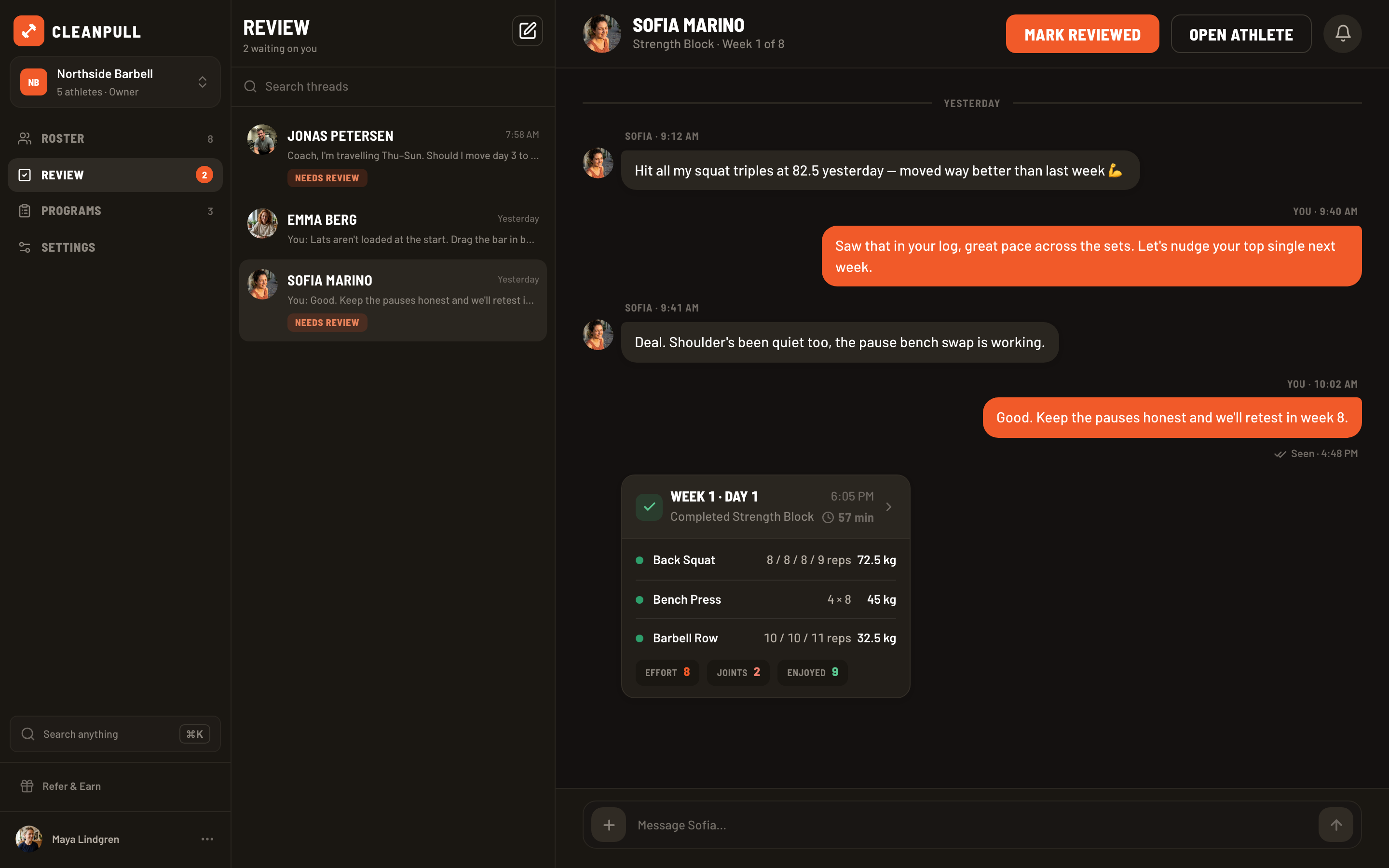
Section titled “Review a completed workout”When an athlete finishes, the workout appears under Review → Needs review.
- Open the workout.
- Check the logged sets and the athlete’s effort, joint soreness, and enjoyment ratings.
- Choose Mark reviewed.
- Send feedback or instructions for the next workout if needed.
Marking a workout reviewed removes it from Needs review; it does not remove the workout from the athlete’s history or conversation.
On desktop, Mark reviewed sits at the top of the athlete’s conversation and marks all of that athlete’s waiting workouts as reviewed.
Control alerts
Section titled “Control alerts”On iPhone or Android, open Settings → Notifications. Athletes can turn coach feedback alerts on or off. Coaches can choose alerts for athlete messages, finished workouts, and new members. A coach can also mute an individual athlete conversation from its menu.
Do not send passwords, payment-card details, or sensitive medical information in a message or attachment.